






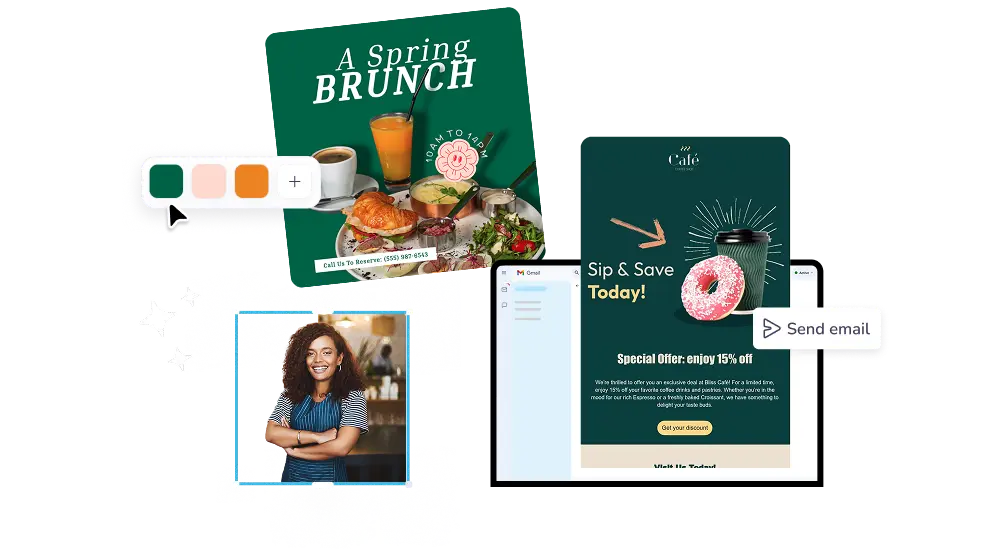
A los usuarios les encanta PosterMyWall







Get more opens, clicks, and orders from every send. Pick a ready HTML email design, swap in your words and images, then schedule it to your mailing list from one app.
30M+
Total Users
5k+
Email templates
244
Countries & Territories
Every design in the email templates gallery is already half built: layout, buttons, and image blocks in place. Filter by theme, season, or type to find newsletter templates or sale emails that match what you are sending this week. Swap in your text, photos, and colors, and the layout holds together on desktop and phone.
The PosterMyWall email maker is an HTML email builder that works by drag and drop: pull in text, images, buttons, tables, and video, then set fonts and colors in a click. AI Writer drafts your subject line and body copy, AI Email Redesign restyles the whole layout when you describe the change, and Brand Kits keep your logo and colors consistent.
Add your mailing list, send a test to yourself, then hit send or schedule it for later. Campaign reports show opens and clicks per send, so you know which subject lines earned attention. Everything you have scheduled sits on the Content Planner calendar next to your social posts. Personalization tags drop each subscriber's first name straight into the copy.
Open PosterMyWall on your desktop, mobile, or tablet to get started for free.
Choose from thousands of professionally designed email templates for any business, event, or occasion.
Add your logo, images, videos, fonts, stickers, audio clips, and more. Use Brand Kits for consistent, on-brand designs.
Download the email HTML for free or preview your email on desktop, tablet and mobile to see how it would look on different screens.
Add a mailing list and send your email straight from PosterMyWall.
From seasonal greetings to special promotions, find email designs by type, theme, or season to keep your marketing fresh year-round.


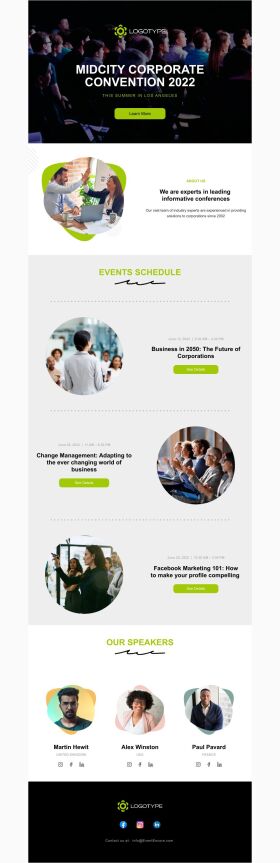


An HTML email template is a pre-built email layout coded in HTML, with fixed sections for headers, images, text, and buttons that you fill with your own content. PosterMyWall templates work the same way visually: you edit the design on screen, and the HTML is handled behind the scenes.
Pick a template, customize the text and images, add your mailing list, then send. On PosterMyWall you choose an email design from the gallery, edit it in the drag-and-drop editor, preview it, send a test to yourself, and publish the campaign to your subscribers.
Yes, PosterMyWall email templates are free to browse and customize, and you can start designing without paying. Premium and Premium Plus add 10,000+ email sends a month, campaign scheduling, signup forms, Content Planner, and credit-based AI tools.
No, you design the email visually and PosterMyWall builds the underlying HTML. Drag in text blocks, images, buttons, and tables, or start from a ready template and swap the content. Think of it as an HTML email generator that runs on templates and prompts instead of code.
In Outlook, open a new message, go to the Format Text tab, and select HTML as the message format before you compose and send. For a campaign going to a full list, sending from PosterMyWall is simpler: your email reaches every subscriber, with open and click reporting attached.
PosterMyWall email designs are responsive and built to render across major inboxes, including Outlook, Gmail, Apple Mail, and mobile apps. Send a test to yourself first, since that step catches image and spacing issues. Keep images to about three per email so it loads fast.
An HTML email carries images, colors, fonts, buttons, and tracked links, while a plain text email carries words only with no formatting. HTML suits promotions, newsletters, menus, and event announcements where the design does the selling. Plain text suits short personal notes and simple replies.
The PosterMyWall HTML email maker is a visual editor, so you build the email by dragging blocks rather than pasting code. If you already have an email you like, rebuild it in minutes: pick the closest template, then match your fonts, colors, and logo with Brand Kits.
Yes, PosterMyWall email designs adjust to phone and desktop screens, so text stays readable and buttons stay tappable. Preview your design before sending to check spacing on smaller screens. Single-column layouts and short subject lines hold up best in mobile inboxes.
Yes, Premium and Premium Plus plans let you schedule an email for a chosen date and time, or use Send at Best Time, which picks the slot your list opens most. Scheduled emails appear on the Content Planner calendar alongside your social posts.

Gradient by PosterMyWall



© 2010-2026 250 Mils LLC. Todos los derechos reservados.




