

Ludzie kochają PosterMyWall
Najnowsze · 2025–2026
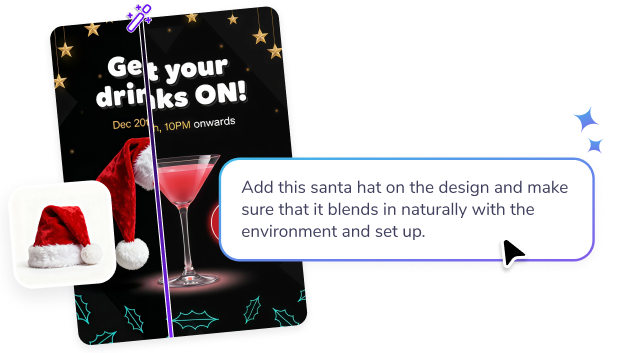
Our AI image editor removes backgrounds, sharpens details, and resizes photos. All for free!
PosterMyWall's AI image editor cleans up photos without the learning curve of professional editing software. Remove a background, brighten a dull shot, or sharpen a blurry logo — all with a single click, right inside the same editor you use for your designs.
Drop in a product photo, a headshot, or an old logo, and let the AI handle the technical work: masking edges, smoothing skin tones, or lifting quality on a low-res image. Compare before and after instantly, and undo anytime you want to try a different look.

Najnowsze · 2025–2026





Wierzymy, że projektowanie i marketing nie powinny nadwyrężać budżetu. Dlatego łączymy dużą moc w jednym przystępnym cenowo rozwiązaniu. 💪
W wielu aplikacjach


Oszczędzasz $119 dzięki jednej subskrypcji
Prowadź swój marketing z poziomu jednej intuicyjnej platformy opartej na AI. Projektuj, korzystając z milionów darmowych szablonów, sprzedawaj bilety na swoje wydarzenia i publikuj w mediach społecznościowych, e-mailach, w sieci i nie tylko.
Sprawdź, co podoba się Twoim odbiorcom, dzięki analizom zaangażowania w Twoich postach w mediach społecznościowych i kampaniach e-mailowych. Wykorzystaj te dane, aby udoskonalić strategię marketingową i tworzyć treści, które przynoszą efekty.
Pozwól AI zająć się najcięższą pracą: twórz projekty, obrazy i filmy w kilka sekund, dostosuj rozmiar do każdego kanału i planuj treści z wyprzedzeniem. Dzięki przystępnym cenowo planom i dużym rabatom dla zespołów, tworzenie marketingowej magii z Twoim zespołem nigdy nie było prostsze.

Twórz i edytuj za pomocą promptów AI

Nieograniczone pobieranie w wysokiej rozdzielczości, zgodne z marką.

Publikuj, dodawaj opisy i planuj za jednym razem.

Strony wydarzeń, sprzedaż biletów i promocje

Ponad 5,220 szablonów. 10 000 e-maili miesięcznie.

Planuj każdy post i e-mail w jednym kalendarzu.








 Canva kontra PosterMyWall
 VistaCreate kontra PosterMyWall
 Adobe Express kontra PosterMyWall
 Piktochart kontra PosterMyWall
 Snappa kontra PosterMyWall
 Fotor kontra PosterMyWall
 Placeit kontra PosterMyWall
 Visme kontra PosterMyWall
 Venngage kontra PosterMyWall
 Buffer kontra PosterMyWall
 Hootsuite kontra PosterMyWall
 Sprout Social kontra PosterMyWall
 Later kontra PosterMyWall
 Agorapulse kontra PosterMyWall
 Zoho Social kontra PosterMyWall
 Coschedule kontra PosterMyWall
 Sendible kontra PosterMyWall
 Loomly kontra PosterMyWall
 Stripo kontra PosterMyWall
 Mailchimp kontra PosterMyWall
 Constant Contact kontra PosterMyWall
 Brevo kontra PosterMyWall
 GetResponse kontra PosterMyWall
 Kit kontra PosterMyWall
 Moosend kontra PosterMyWall
 Omnisend kontra PosterMyWall
GetResponse kontra PosterMyWall
 Eventbrite kontra PosterMyWall
 Evently kontra PosterMyWall
 Facebook Events kontra PosterMyWall

Gradient PosterMyWall



© 2010–2026 250 Mils LLC. Wszystkie prawa zastrzeżone.